Use This Prompting Trick To Improve ChatGPT’s Performance
Unlock the full potential of ChatGPT with this simple trick

As a powerful and versatile language model, ChatGPT from OpenAI has the ability to engage in complex debates on a wide range of topics. However, to truly showcase its analytical capabilities and produce deep and thought-provoking responses, a trick can be employed to elicit more detailed and structured answers.
 The trick is to include a request for ChatGPT to generate a hierarchical table of contents before providing the answer. This causes the AI to carefully analyze the structure of the issue at hand and organize its thoughts in a logical manner, much like a human writer would create an outline to plan and organize their ideas before composing an essay or speech.
Empirically, asking for a table of contents seems to greatly enhance ChatGPT’s ability to write coherent long-form essays. See the following example.
Here is an example of the “table of contents” trick in action
Step 1: Enter this prompt
You are at the world debate championship. The motion of the debate is “This house supports universal income for all citizens”. The coalition are in favor of the motion. Think about arguments in favor of the motion, using a hierarchical table of contents that classify the arguments to at least 3 topics, then write the speech of the coalition. Then do the same for the opposition, who should argue against the arguments of the coalition.
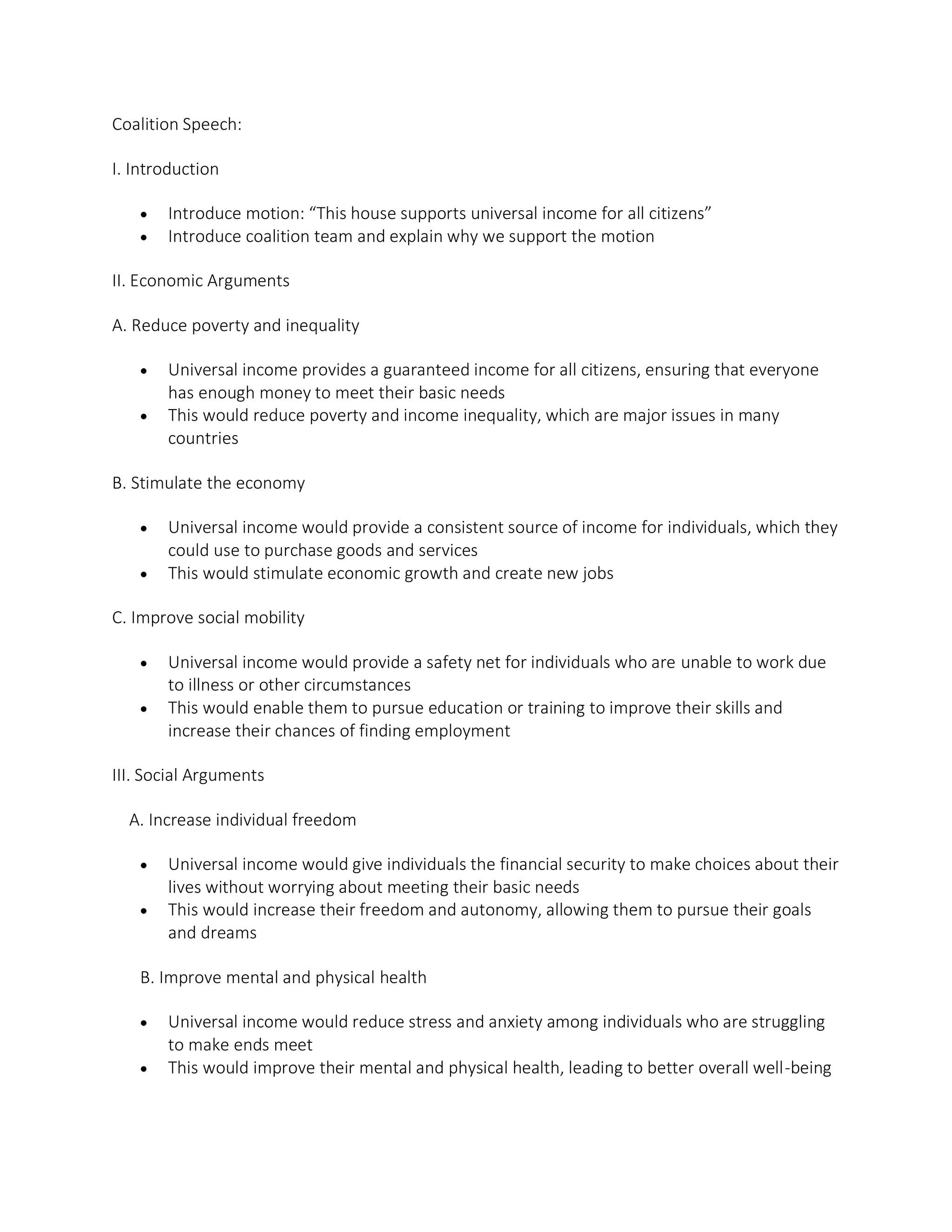
In response to the prompt, ChatGPT produced the following impressive outline - a hierarchical table of contents classifying arguments into topics and subtopics.
Step 2: Enter this prompt
Now write the speech of the coalition, and the speech of the opposition. Start with the words “Ladies and gentlemen
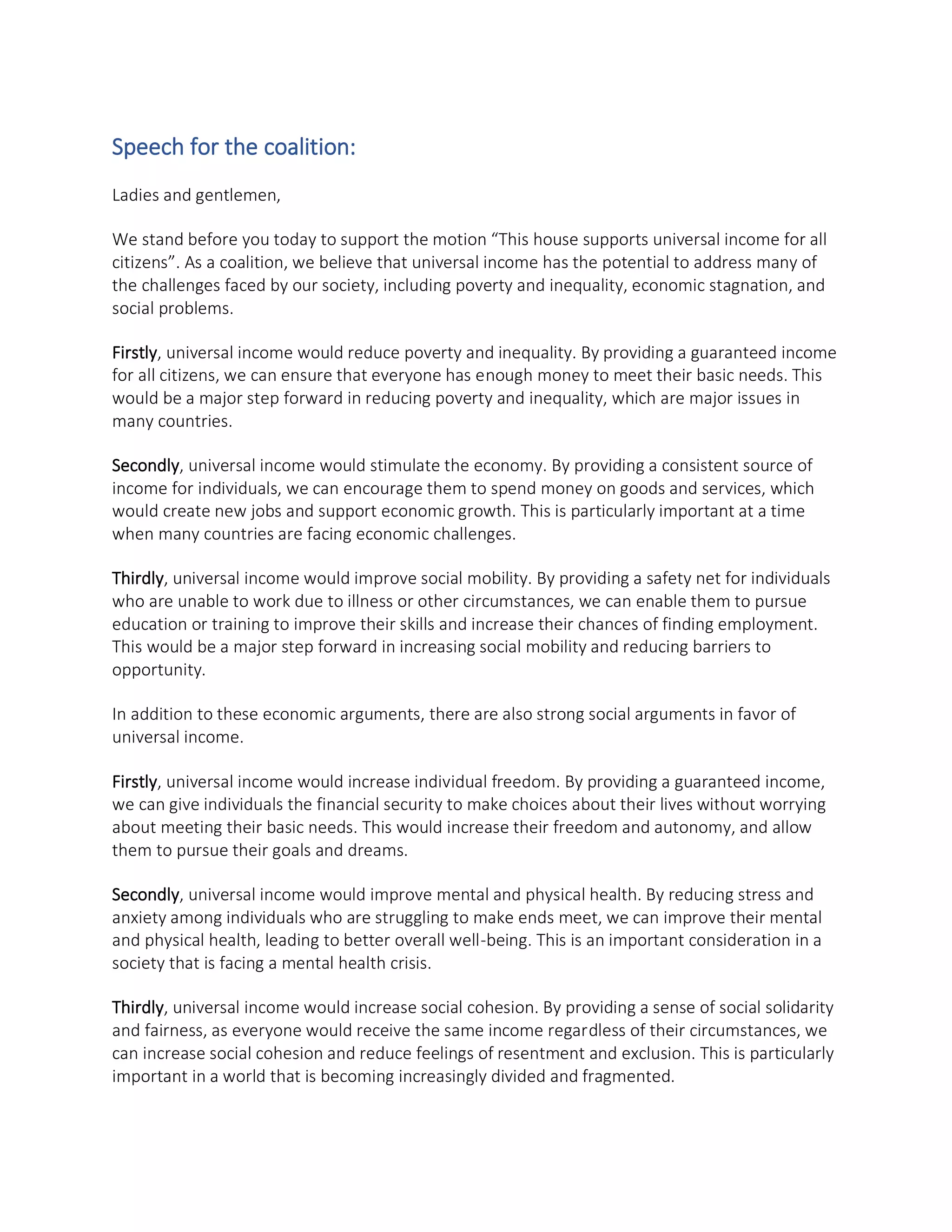
Now GPT3 writes the full text of the speeches, based on the outline it has written in the last step - producing coherent, structured long-form arguments for both sides.
Bonus Trick
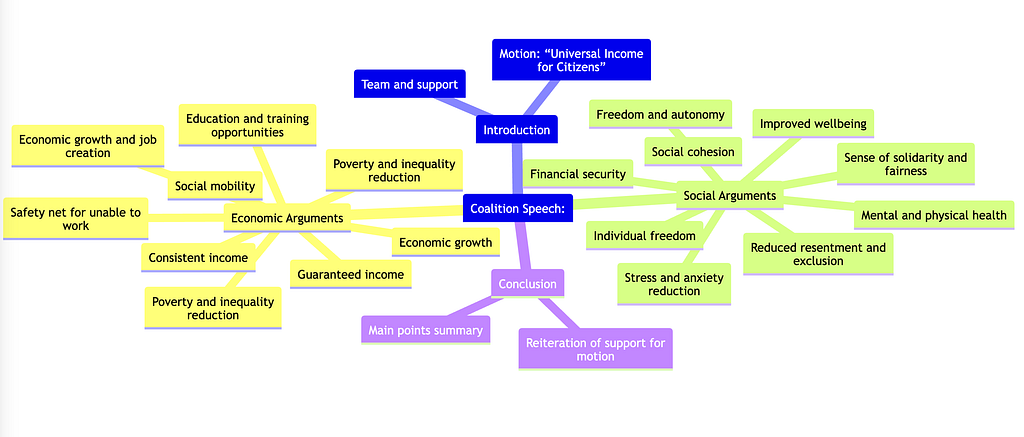
As an advanced bonus trick, you can visualize the table of content as a graphical chart, by prompting ChatGPT for a mindmap in MermaidJS format, and pasting the result in https://mermaid.live/. Here is the result for the coalition speech:
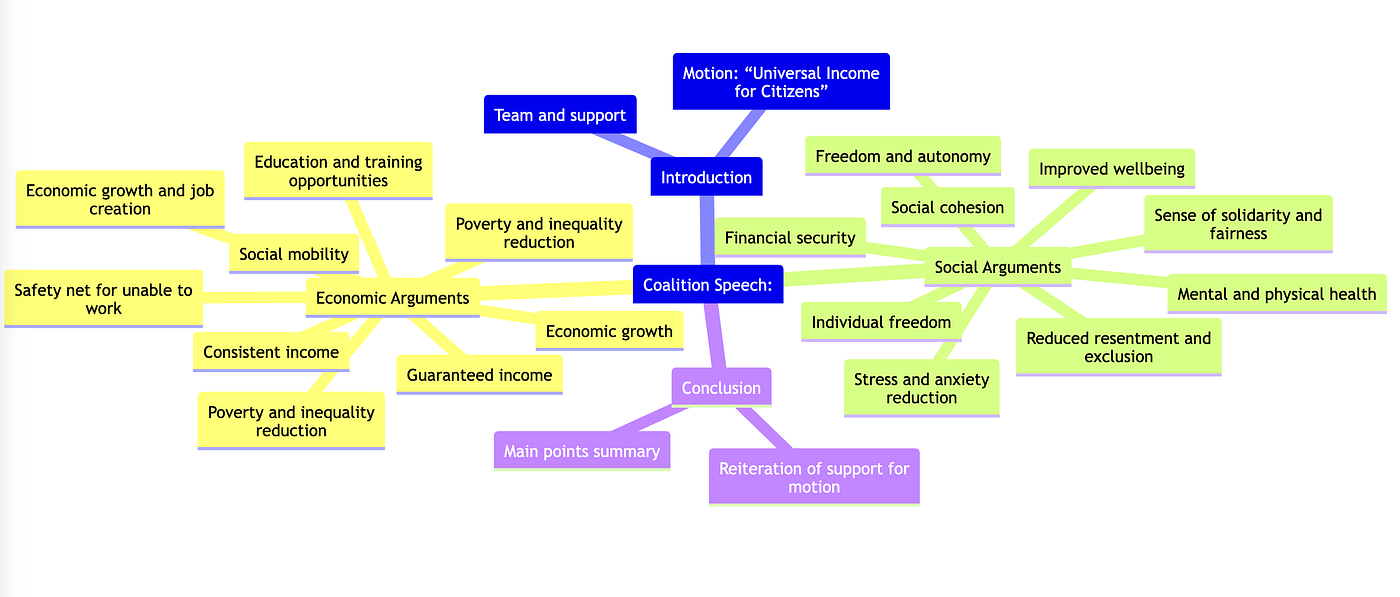
For more information on how to create mindmaps and other kinds of charts with ChatGPT, see this thread on X.
New podcast
The Shift on YouTube
Conversations with the people building what comes next, before the future becomes obvious. Follow the show for new episodes as they land.
The Shift, in your inbox
Occasional essays on AI, cloud, and the systems shaping what comes next. Subscribe to the newsletter — no spam, unsubscribe anytime.
Keep reading
PodcastThe Shift Is Now Also a Podcast
The newsletter keeps going — and now there is a video series too. In the first episode, Crawford Del Prete and I talk about where work goes when AI reshapes every job description.

The Clone Wars Have Begun
AI is making software dramatically cheaper to reproduce. Customers stand to gain. Companies whose main defense was the expense of copying them have a problem.

Jev makes the call without making you wait
Jev cannot hold a conversation, yet it is on track to be one of the fastest-adopted models in history, because most of what software asks an AI to do was never a conversation in the first place.
